
v1.4 Release Notes
This release turns Arkios into a place where teams do not just run agents, they build and ship software. v1.4 introduces custom applications, a marketplace to share them, native MCP server support, and a refreshed interface across the platform.
- Custom Applications: describe an internal tool and Arkios builds it, wired to your data, agents, and integrations.
- App Marketplace: publish your apps and install ones shared across your enterprise and beyond.
- MCP Server support: connect AI to your internal tools through the Model Context Protocol.
- Refreshed UI: a cleaner, faster interface across the dashboard, agents, tools, and apps.
Custom Applications
You can now build full internal applications inside Arkios without leaving the platform and without writing code from scratch. Describe the tool you need in plain language, and the app builder generates the interface, connects it to your agents and integrations, and deploys it to your workspace.
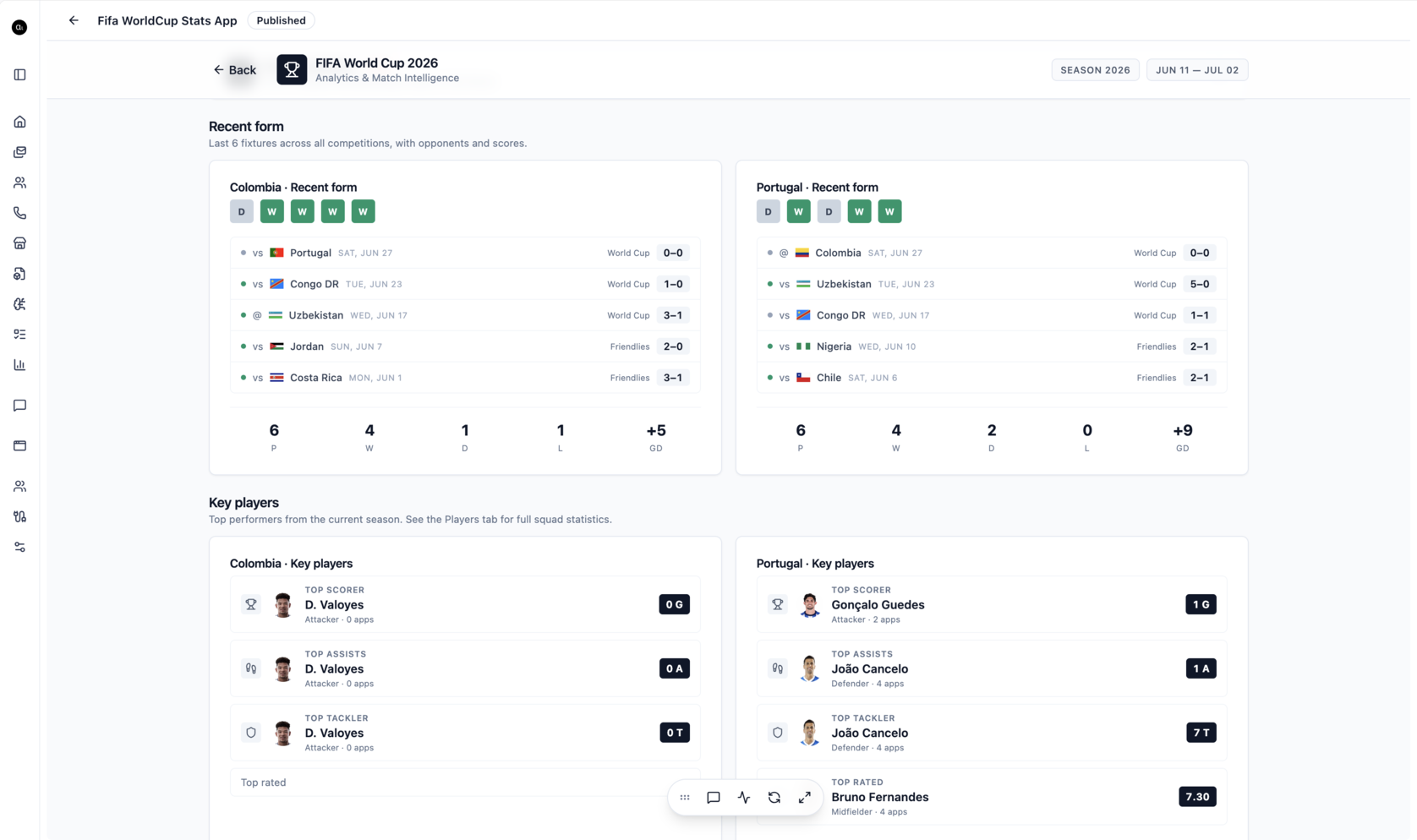
The example above is a sports analytics dashboard built entirely with the app builder and wired to a live data tool, but the same flow applies to anything your team runs on spreadsheets and one-off scripts today: ops dashboards, approval workflows, lightweight CRMs, internal calculators, and review queues.
How it works
- Describe to build: start from a prompt that names the data, the layout, and the job the app does. The more specific the prompt, the closer the first build lands.
- Refine in the editor: keep iterating in plain language, or open the app editor for direct control over the interface.
- Connected to your stack: apps can call your agents, tools, and integrations, so they act on real data rather than static mockups.
- Deployed to your team: publish an app to your workspace and your team can use it immediately, governed by the same roles and access controls as the rest of Arkios.
Learn more on the AI App Builder page.
App Marketplace
Apps are more useful when they are shared. The App Marketplace lets you publish an application so other teams, and other enterprises, can install it, and lets you browse and adopt apps that others have published.
- Publish your apps: turn a working internal tool into something the rest of your organization can install in one click.
- Install shared apps: start from a proven app instead of a blank canvas, then tailor it to your workspace.
- Bundles: group related apps together so a whole workflow can be adopted at once.
This is the same idea as the Agent Marketplace introduced in v1.3, now extended to full applications, so best practices spread across teams instead of being rebuilt over and over.
MCP Server Support
Arkios now speaks the Model Context Protocol natively. MCP is an open standard that lets AI models connect securely to external tools and data sources, and with v1.4 you can add MCP servers directly in the Tools Hub.
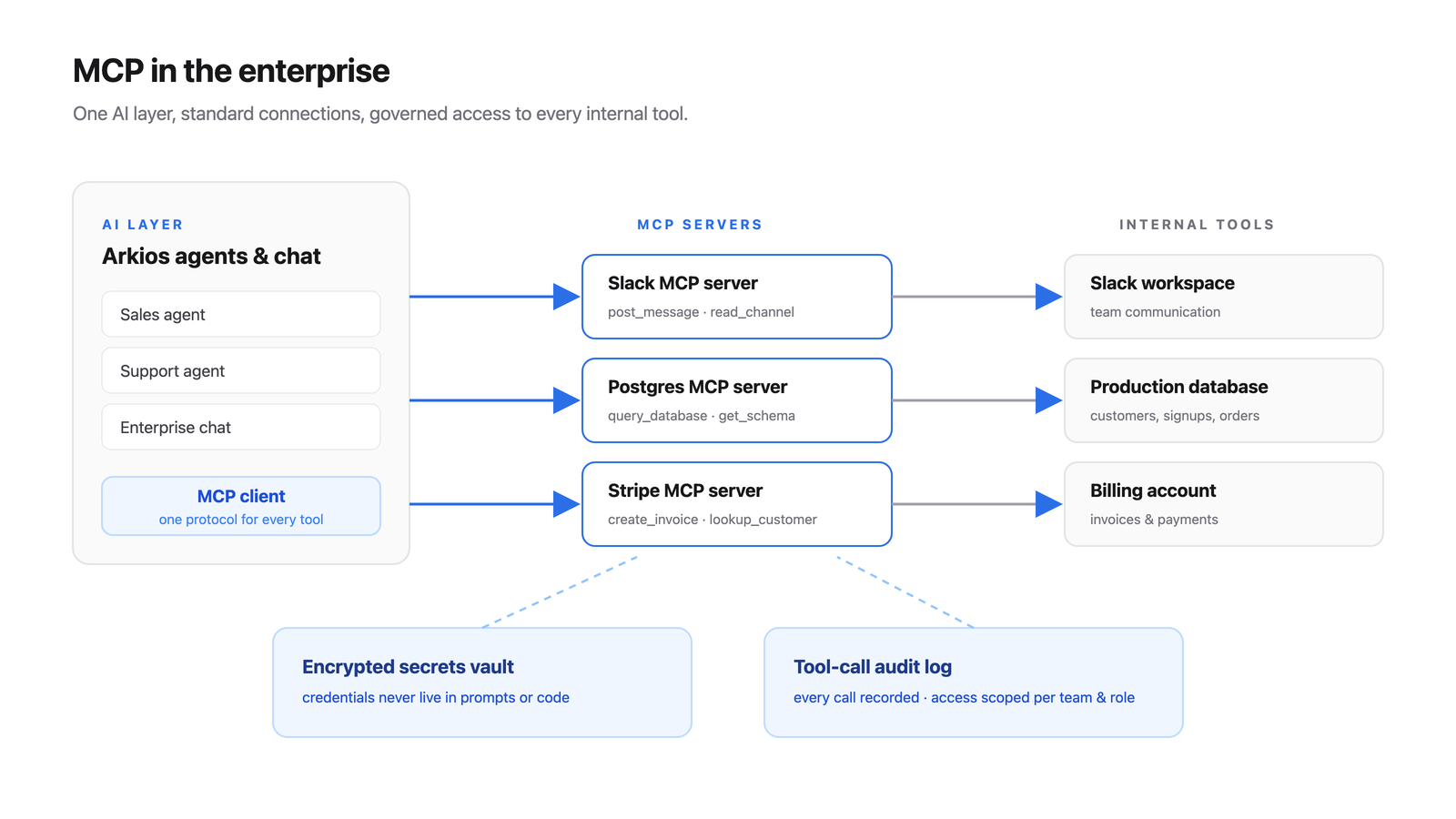
- Add MCP servers: connect an MCP server and its tools become available to your agents alongside connector templates and custom operations.
- Scoped and secure: credentials live in the encrypted secrets vault, access is scoped per team and role, and every tool call is written to the audit log.
- Standard, not bespoke: one MCP server works across every agent, replacing one-off integration code.
See MCP and Integrations for the overview, and the Tools and Connectors documentation for setup.
Refreshed Interface
The Arkios interface has been redesigned for a cleaner and faster experience across the product. Navigation is clearer, the dashboard surfaces your agents, tools, and apps more directly, and the agent, chat, and app builders share a more consistent layout. The result is less time hunting for things and more time building.
What This Means for Your Team
With v1.4, Arkios becomes a software factory, not just an AI assistant:
- Replace spreadsheets and scripts with real internal apps your team can use
- Share those apps across the organization through the marketplace
- Connect AI to any internal system through standard MCP servers
- Work in a cleaner, faster interface end to end
Looking Ahead
We will keep expanding the app builder and marketplace, deepen MCP support with more server options, and continue refining the interface based on how teams actually work.
Last updated: May 27, 2026