
How to Make AI-Powered Presentations for Your Enterprise (2026 Guide)
Learn how to build AI-powered presentations grounded in your company data, export to PowerPoint, and cut deck-building time from hours to minutes.

Ask any sales engineer, account manager, or operations lead how much time they spend building slide decks and you will get the same answer: too much. Industry surveys consistently put deck-building among the most time-consuming recurring tasks in enterprise work — hours spent hunting for the right numbers across spreadsheets, CRMs, and old decks, then more hours wrestling content into a layout that vaguely matches the brand template. The result is predictable: inconsistent slides, stale data copied from last quarter's version, and skilled people doing low-value formatting work.
AI presentation tools promise a way out, but most consumer-grade AI slide generators fall short for enterprise use. They produce generic content, ignore your actual company data, and offer no answer to the questions your security team will ask first.
This guide walks through how to make AI-powered presentations the right way for an enterprise: what separates a real enterprise AI presentation maker from a demo toy, what to evaluate before you roll one out, and a concrete step-by-step workflow using the Arkios AI Presentation Maker as the working example.
Why enterprises are switching to AI presentation tools
The shift to AI-generated presentations is not about novelty. It is driven by three persistent problems that manual deck-building cannot solve at scale.
The time cost compounds. A single quarterly business review deck might take a senior account manager four to six hours. Multiply that across every account, every quarter, every region, and deck-building quietly becomes one of the largest hidden labor costs in a go-to-market organization. An AI slide generator that produces a credible first draft in minutes changes that math immediately — even if humans still review and refine every slide.
Data lives everywhere except the deck. The numbers a presentation needs — pipeline figures, usage metrics, project status, policy language — are scattered across documents, wikis, and internal systems. Manual deck-building means manually finding, copying, and reformatting that data, which is exactly where errors and stale figures creep in. AI tools that connect to a company knowledge base pull from the source instead of from someone's memory of the source.
Consistency does not survive contact with deadlines. Brand teams publish templates; presenters under deadline pressure ignore them. When the deck is generated rather than assembled by hand, structural and stylistic consistency is the default rather than an aspiration.
The teams adopting AI presentation tools fastest are the ones with high-volume, repeatable deck needs: customer-facing teams producing QBRs and proposals, finance and leadership teams producing recurring updates, and enablement teams producing training content.
What to look for in an enterprise AI presentation maker
Not every tool that can generate PowerPoint with AI is fit for enterprise use. Before standardizing on one, evaluate it against four criteria.
1. Grounding in your company data
This is the single biggest differentiator. A generic AI slide generator works from its training data and your prompt — which means it will happily produce plausible-sounding slides full of invented figures. An enterprise-grade tool uses retrieval-augmented generation (RAG): it retrieves relevant content from your actual documents and knowledge base, then builds slides from that retrieved content. Arkios goes a step further and attaches citations, so every claim on a slide can be traced back to the source document it came from. If a tool cannot tell you where a number came from, it does not belong in a board deck.
2. Real PowerPoint export
Whatever tool generates the deck, the deck still has to live in your organization's existing workflow. That almost always means PowerPoint. Look for native .pptx export — not PDF-only output, not a proprietary web format that locks the content inside the tool. The generated file should open cleanly in PowerPoint so anyone downstream can edit it without the AI tool installed.
3. Security and governance
Presentations routinely contain the most sensitive information in a company: revenue figures, customer names, roadmap plans. The baseline requirements are the same ones you would apply to any enterprise software handling that data:
- Access control, so people can only generate from and view content they are entitled to see
- Audit logs, so security teams can answer who generated what, from which sources, and when
- Zero data training — a contractual guarantee that your prompts, documents, and generated content are never used to train AI models
Arkios meets all three, which is why the platform can be rolled out to teams handling regulated or confidential material rather than being quarantined to low-stakes use.
4. Editing control
AI generates the first draft; humans own the final word. A tool that produces an unmodifiable artifact forces you to export and rebuild anything that needs adjustment, which erases most of the time savings. The right model is generate-then-refine: slides should be editable directly in the platform, so fixing a heading, reordering sections, or rewriting a takeaway takes seconds instead of a regeneration cycle.
Step-by-step: creating an AI-powered presentation
Here is the end-to-end workflow in Arkios, from blank page to shared PowerPoint file. The whole process typically takes minutes for a first draft.
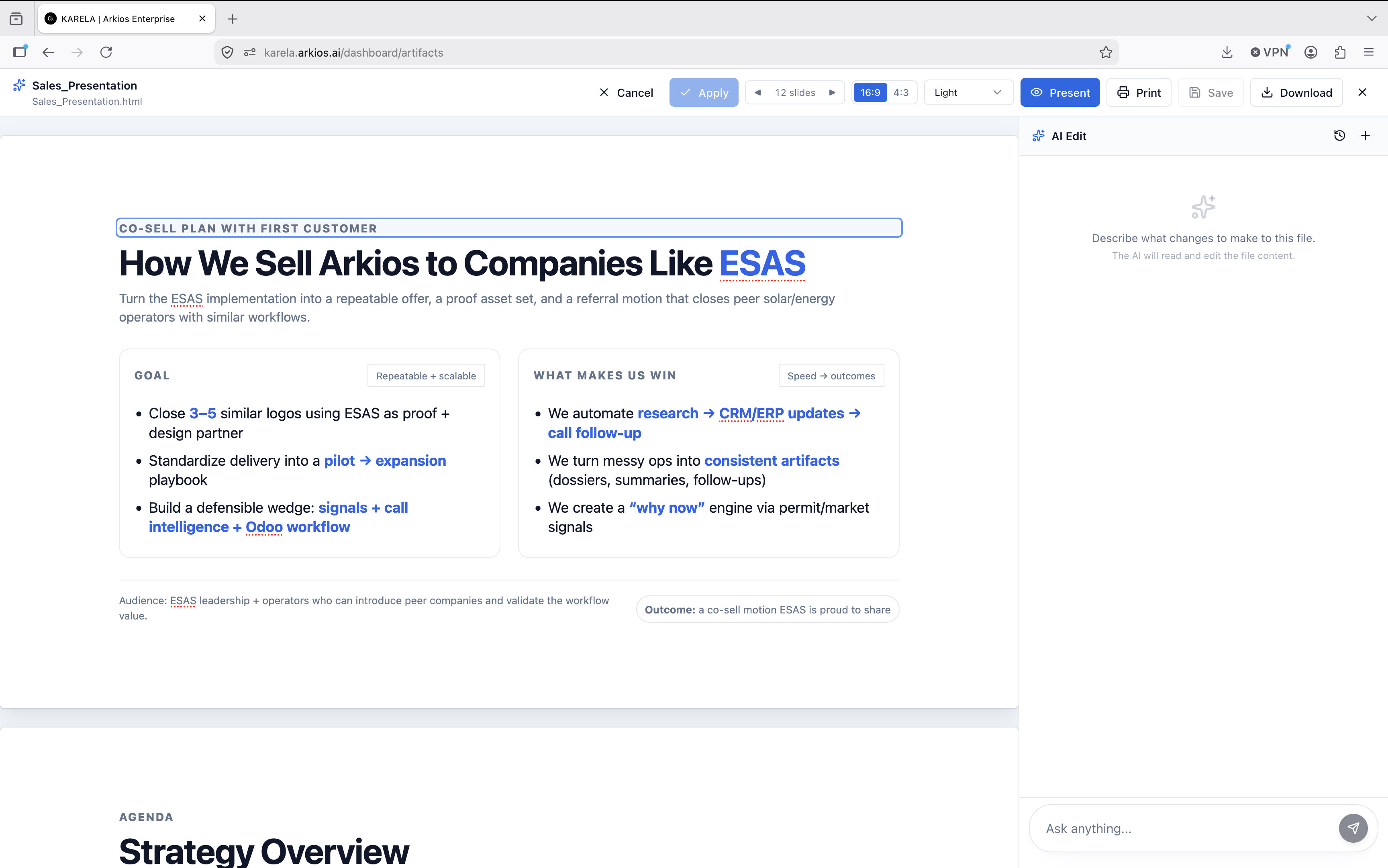
Step 1: Describe the deck or pick a source document
Start either from a prompt or from existing material. You can describe the presentation you need in plain language — audience, purpose, rough structure — or point Arkios at a source: a project report, a proposal, a strategy document, or content already in your enterprise knowledge base. Decks can also draw on documents produced with the AI Document Engine, so a written report can become a presentation without starting over.
Step 2: Let the AI build slides grounded in your knowledge base
Arkios generates the complete deck — structure, slide content, and flow — using RAG over your connected knowledge base. Instead of inventing content, it retrieves the relevant facts, figures, and language from your actual documents and builds slides from them, with citations attached so you can verify any claim against its source. This is the step where an enterprise AI presentation maker earns its keep: the draft arrives already populated with your data, not placeholder text.
Step 3: Refine in the editor
Review the generated deck and edit it directly in the platform. Tighten a headline, cut a slide, reorder the narrative, adjust the framing for your audience. Because editing happens in-platform, you are polishing the AI's draft rather than rebuilding it — and the citations stay with the content while you verify the details that matter.
Step 4: Export to PowerPoint
When the deck is ready, export it as a native .pptx file. It opens in PowerPoint like any other presentation, so colleagues, clients, and leadership can use it inside the tools they already have. No conversion steps, no proprietary viewer.
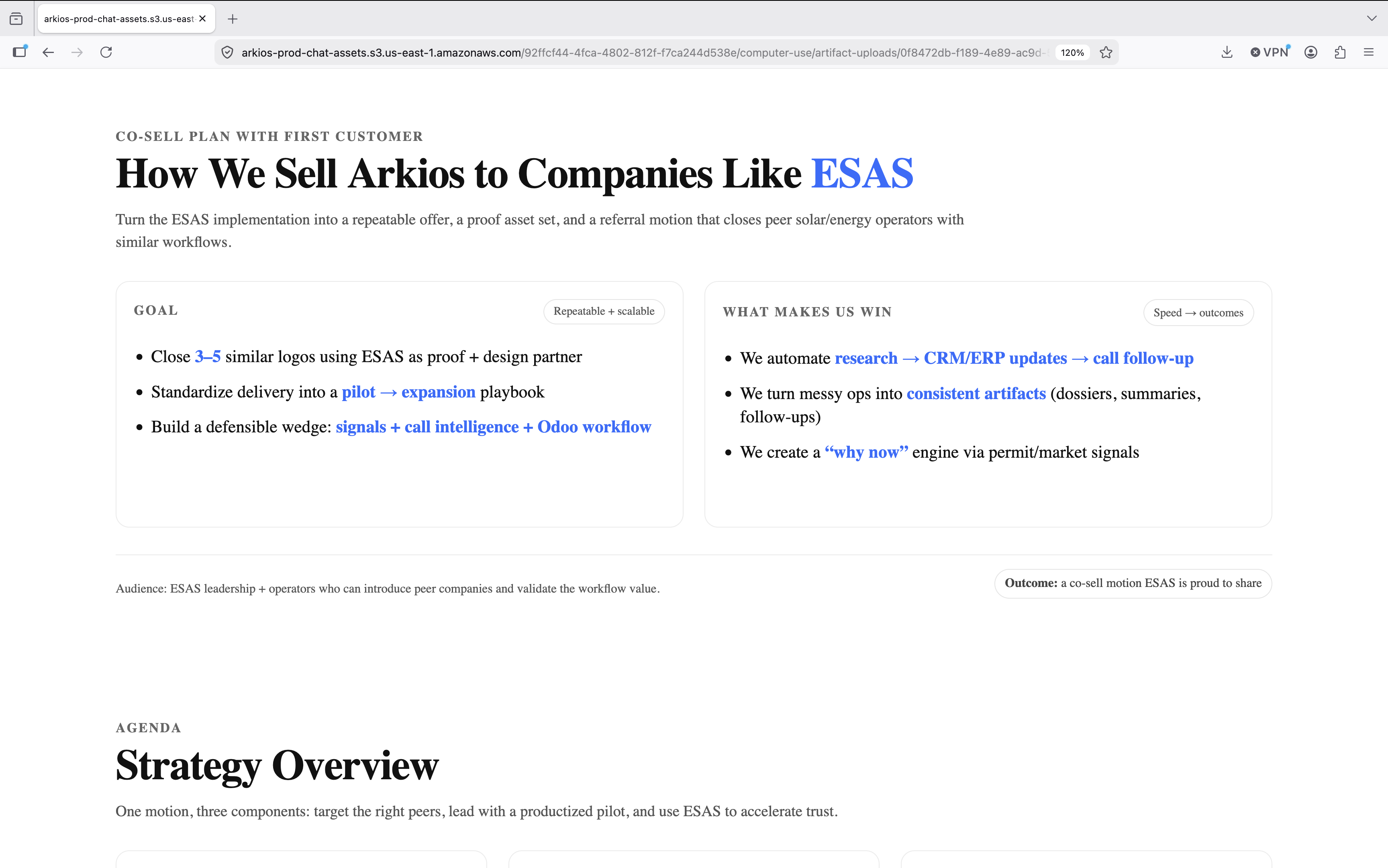
Step 5: Share it as a team artifact
Every presentation in Arkios is saved as a shareable artifact, governed by the platform's access controls. Teammates with permission can find it, reuse it, and build on it instead of recreating it from scratch — which is how one good QBR deck becomes the starting point for fifty. See the artifacts documentation for how sharing and permissions work in detail.
Real enterprise use cases
The workflow above maps onto the recurring deck types that consume the most enterprise hours:
Quarterly business reviews. QBRs are the canonical case: high volume, repeatable structure, and heavy dependence on account-specific data. Generating the draft from the knowledge base means the metrics and account history arrive in the deck automatically, and the account manager's time goes into narrative and recommendations instead of data assembly.
Sales and proposal decks. Sales teams need decks tailored to each prospect but consistent in message and structure. Generating from approved source material keeps claims accurate and on-message, while citations let reviewers verify anything before it goes in front of a customer.
Board and leadership updates. These decks carry the highest accuracy stakes. Grounded generation with citations — plus audit logs showing exactly what was generated from which sources — makes AI assistance defensible in contexts where a wrong number is a serious problem.
Training and enablement. Enablement teams turn policy documents, product documentation, and process guides into training decks constantly. Starting from the source document and letting the AI build the slide structure removes the most tedious part of the job, and saved artifacts give the whole team a reusable library.
AI presentations vs. doing it manually
| Manual deck-building | AI-powered with Arkios | |
|---|---|---|
| First draft time | Hours | Minutes |
| Data sourcing | Manual copy-paste from scattered tools | Retrieved from the knowledge base via RAG |
| Accuracy verification | Memory and spot-checks | Citations to source documents |
| Consistency | Depends on the individual | Generated structure by default |
| Reuse | Files scattered across drives and inboxes | Saved as shareable, access-controlled artifacts |
| Output format | .pptx | Native .pptx export |
| Governance | None | Access control, audit logs, zero data training |
The human role does not disappear in the right-hand column — it moves up the stack. People stop doing data transport and formatting and spend their time on judgment: what story the deck tells and whether the draft is right.
Frequently asked questions
Can AI really create a full PowerPoint presentation?
Yes. Modern enterprise tools generate complete decks — structure, slide content, and flow — from a prompt or a source document, and export the result as a native .pptx file. Arkios does exactly this, with the added requirement that content is grounded in your company's own documents rather than generated from thin air.
How do AI presentation tools keep company data secure?
Look for three specific controls: access control (generation and viewing respect existing permissions), audit logs (a record of who generated what and from which sources), and a zero data training guarantee (your content is never used to train AI models). Arkios provides all three. Any vendor that cannot answer these questions clearly should be ruled out for sensitive material.
What is the best AI presentation maker for business?
The right answer depends on what you need the tool to do. For consumer use, lightweight slide generators are fine. For enterprise use, the bar is higher: grounding in your company data with citations, native PowerPoint export, in-platform editing, and security controls your IT team will sign off on. Arkios is built specifically for that enterprise bar, at a flat $25 per user per month — see pricing for details.
Will AI-generated slides use accurate company data?
Only if the tool is grounded in your data. Generic AI slide generators work from prompts alone and will fabricate plausible-looking figures. Arkios uses retrieval-augmented generation over your enterprise knowledge base and attaches citations to generated content, so every figure on a slide can be traced to the document it came from — and verified before the deck goes out.
Start building AI-powered presentations
The fastest way to evaluate an AI presentation workflow is to run it on a real deck you owe someone this month. Arkios offers a 14-day free trial — connect your documents, generate a draft QBR or sales deck from your own knowledge base, refine it, and export it to PowerPoint. If the draft saves your team hours on the first attempt, the flat $25/user/month pricing makes the rest of the decision simple. Explore the AI Presentation Maker to get started.