
Credits and Billing
Use this page to understand how credits are monitored and managed across user and admin workflows.
Members can monitor personal usage from the Personal Usage page.
Admins can manage enterprise billing from the Billing & Credits Admin page.
User View: Monitor Personal Usage
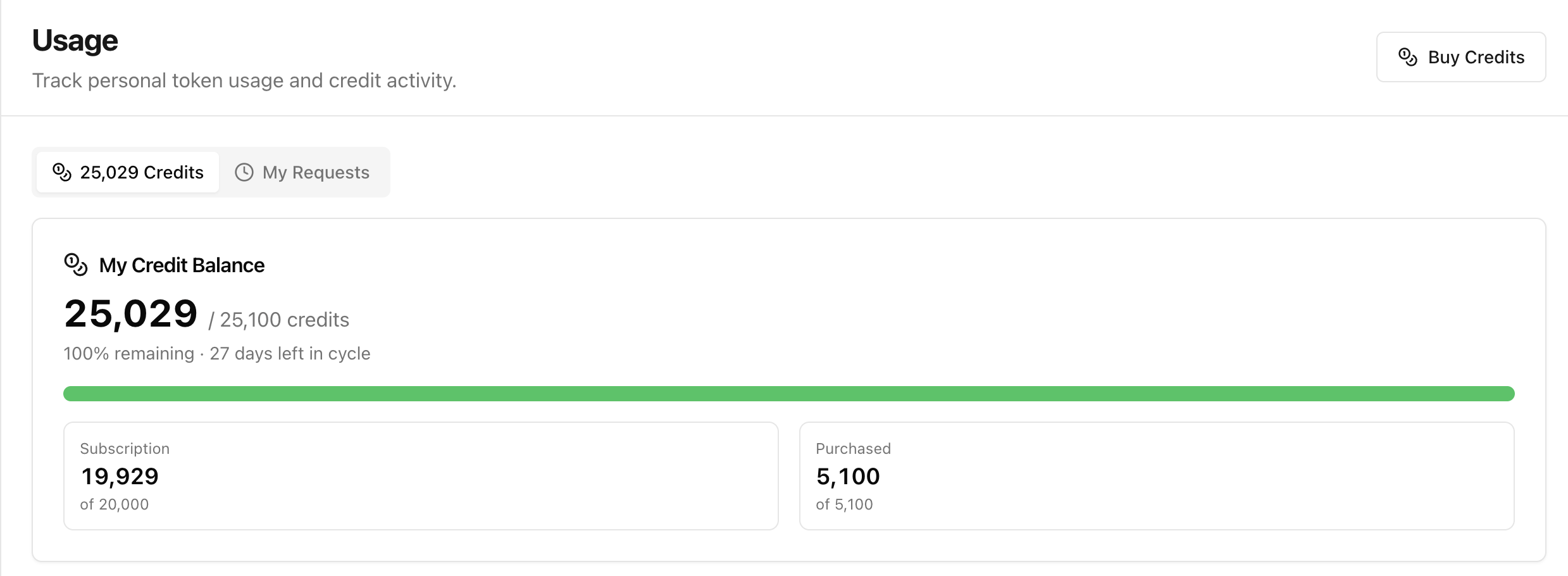
Members can open Usage to track personal token activity and remaining credits.
What users can monitor
- Current credit balance
- Remaining cycle status
- Subscription vs purchased credit split
- Personal usage trend over time
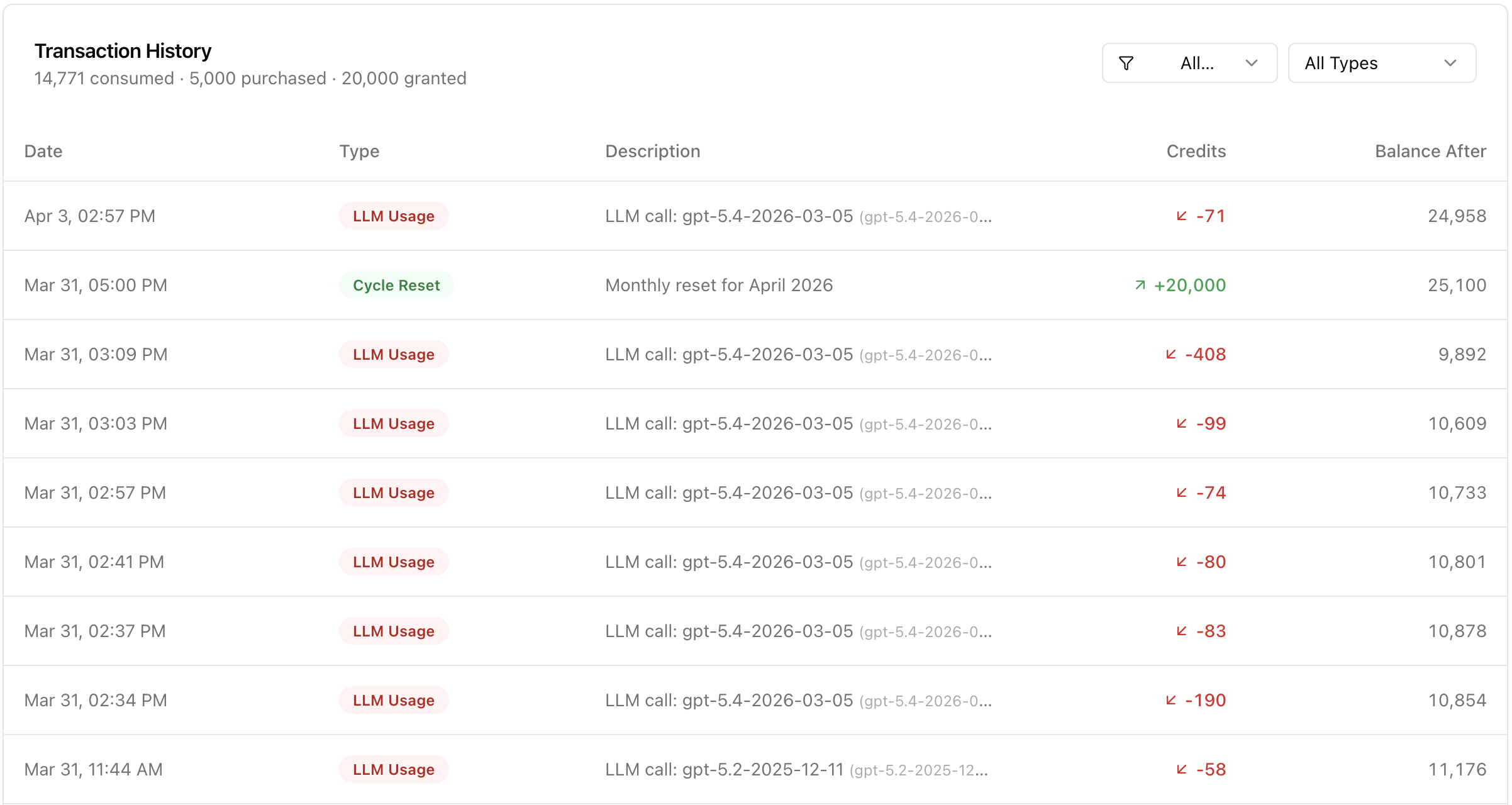
For transaction-level details, users can open their usage details and review entries by type and time.
Admin View: Monitor, Approve, and Top Up
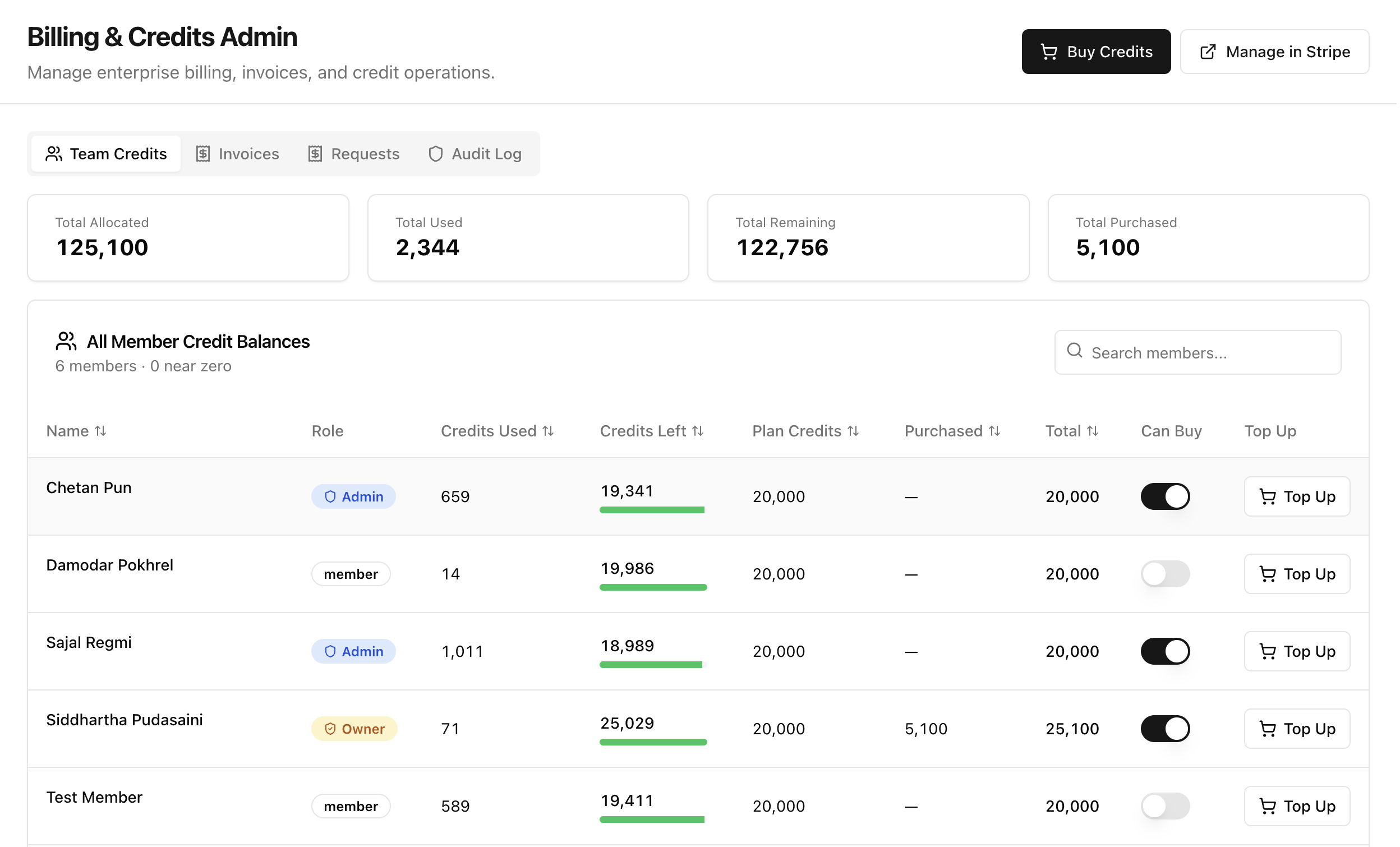
Admins can open Billing & Credits Admin to manage credits across the enterprise.
What admins can do
- Monitor all member balances and usage
- Review team-wide credit allocation and remaining totals
- Top up member credits from the member table
- Open Requests to approve or reject credit requests
- Review activity in Audit Log for credit operations
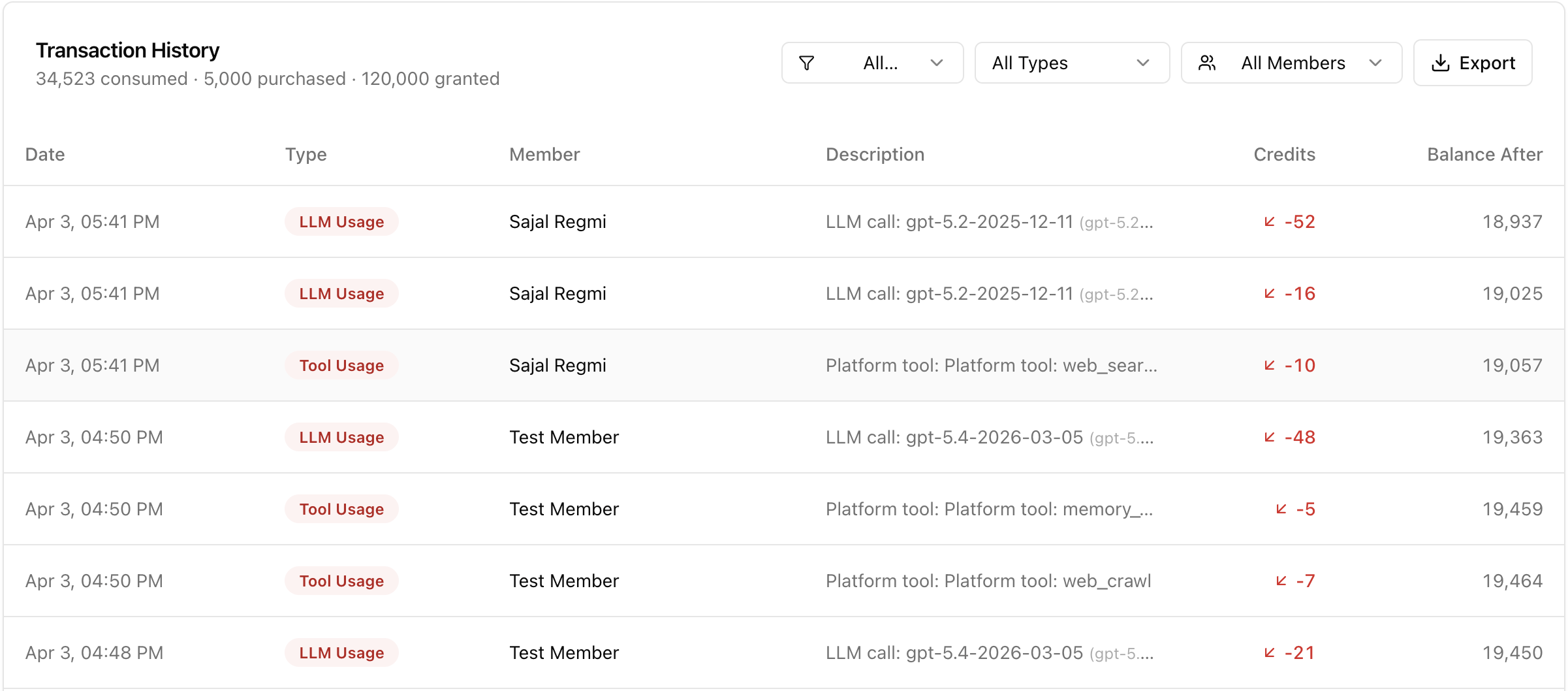
Admins can also inspect enterprise transaction history and filter by type/member for reconciliation.
Next Step
After setting up credits and billing controls, continue to Tool Hub to manage tool access and operational governance.
Last updated: April 2, 2026