
Managing Teams
This guide explains the complete team management flow in Arkios, from initial admin setup to member access across team resources.
Team Management Flow
1. Admin Navigates to the Teams Page
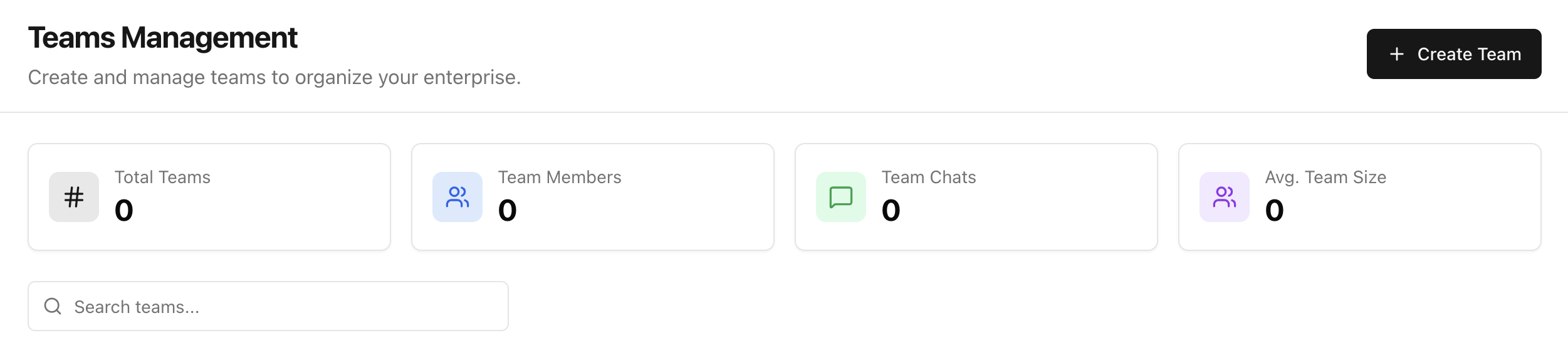
The admin opens Teams Management from the enterprise workspace.
On this page, the admin can:
- See current team metrics (total teams, members, chats, average team size)
- Search existing teams
- Start creating a new team
2. Admin Creates a Team
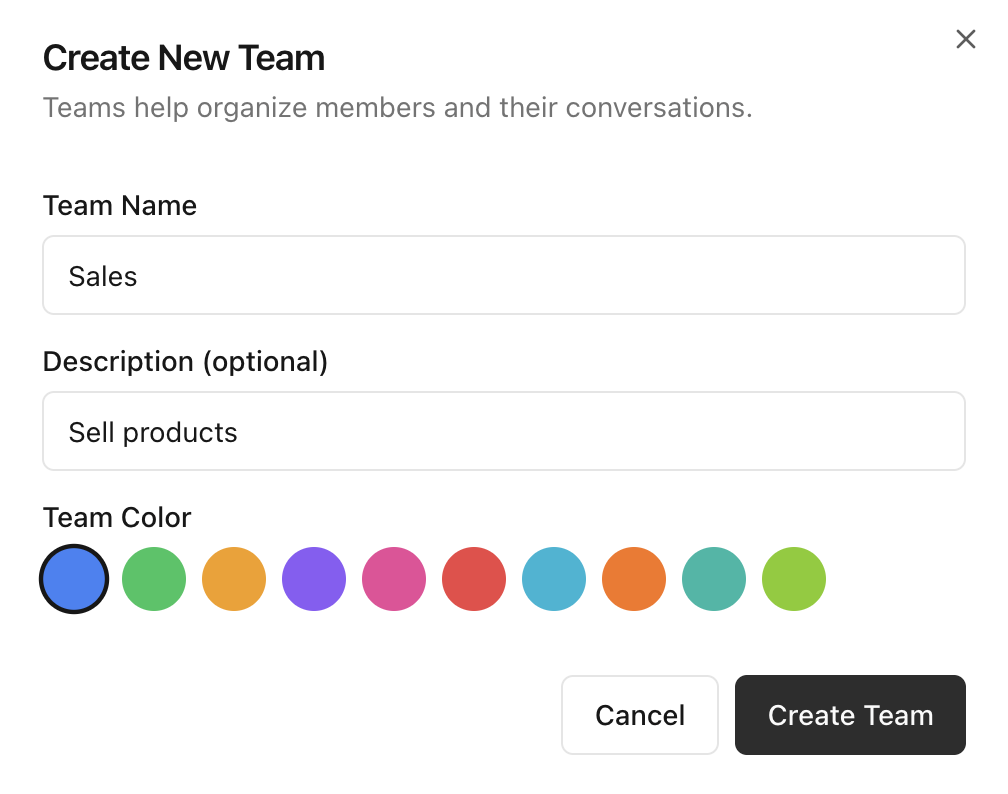
The admin clicks Create Team, opens the team creation modal, and provides:
- Team Name
- Description (optional)
- Team Color
After confirming, the new team is created and the admin lands on the team detail view.
3. Admin Adds Members
Inside the new team page, the admin uses Add Member to invite people into the team.
This establishes who can collaborate inside that team context.

4. Members Can See Who Other Members Are in the Team
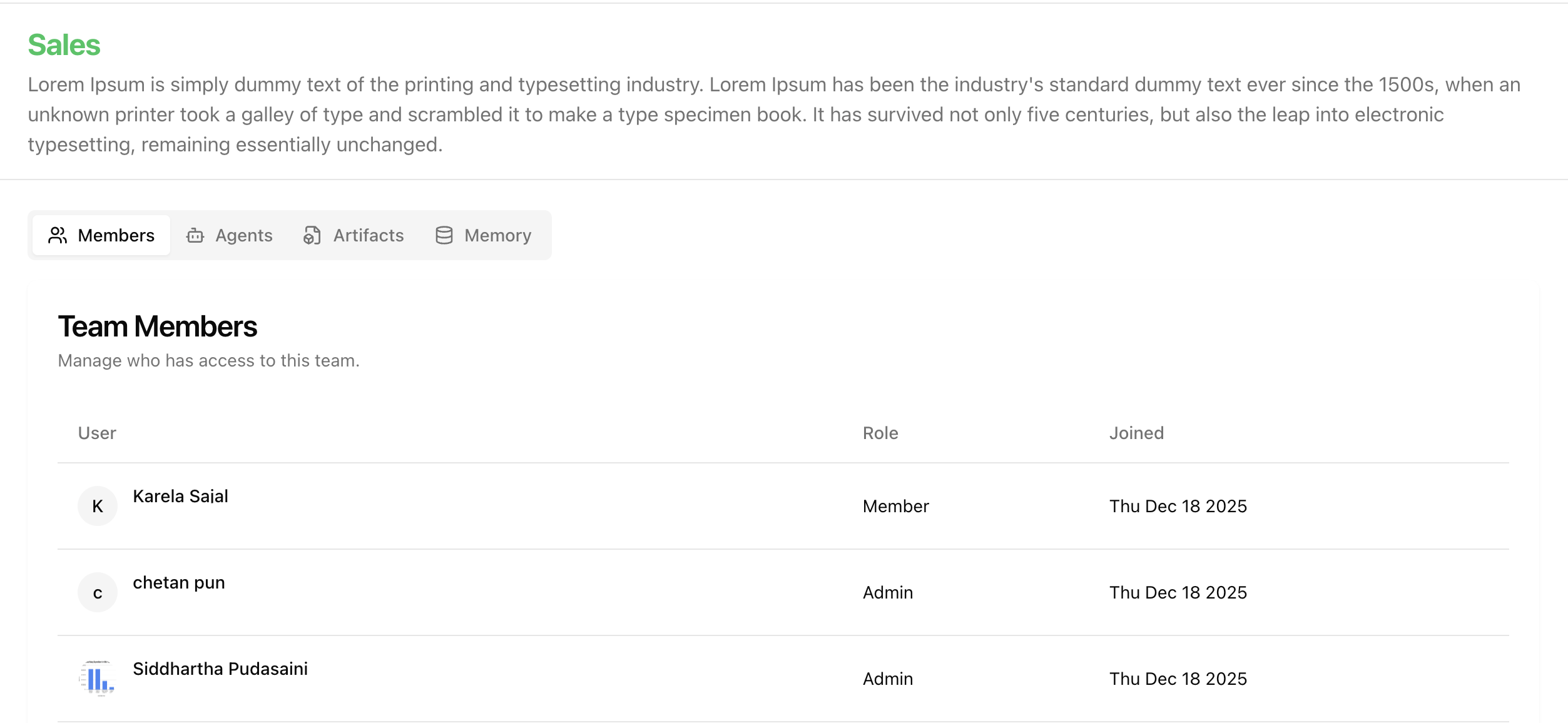
In the Members tab, users can view the current member list, including:
- Member identity
- Role (for example, Admin or Member)
- Joined date
This gives all team members clarity on team composition and access roles.
5. Members Can See What Agents Are Available to the Team
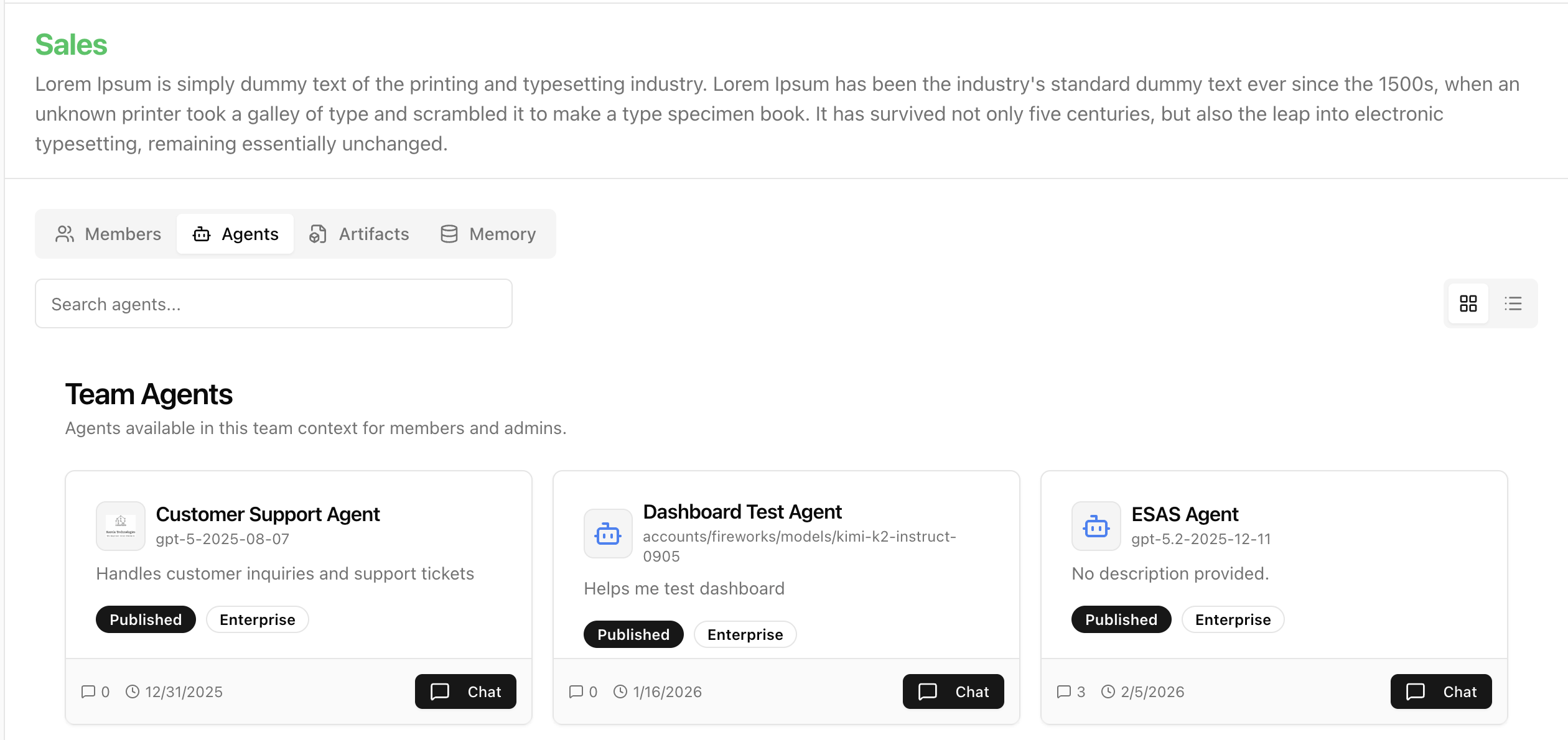
In the Agents tab, users can see agents available in that team context.
The view includes useful metadata such as:
- Agent name and model
- Description
- Status badges (for example, Published, Enterprise)
- Quick action to start chat
For agent concepts and setup guidance, see Agents Overview.
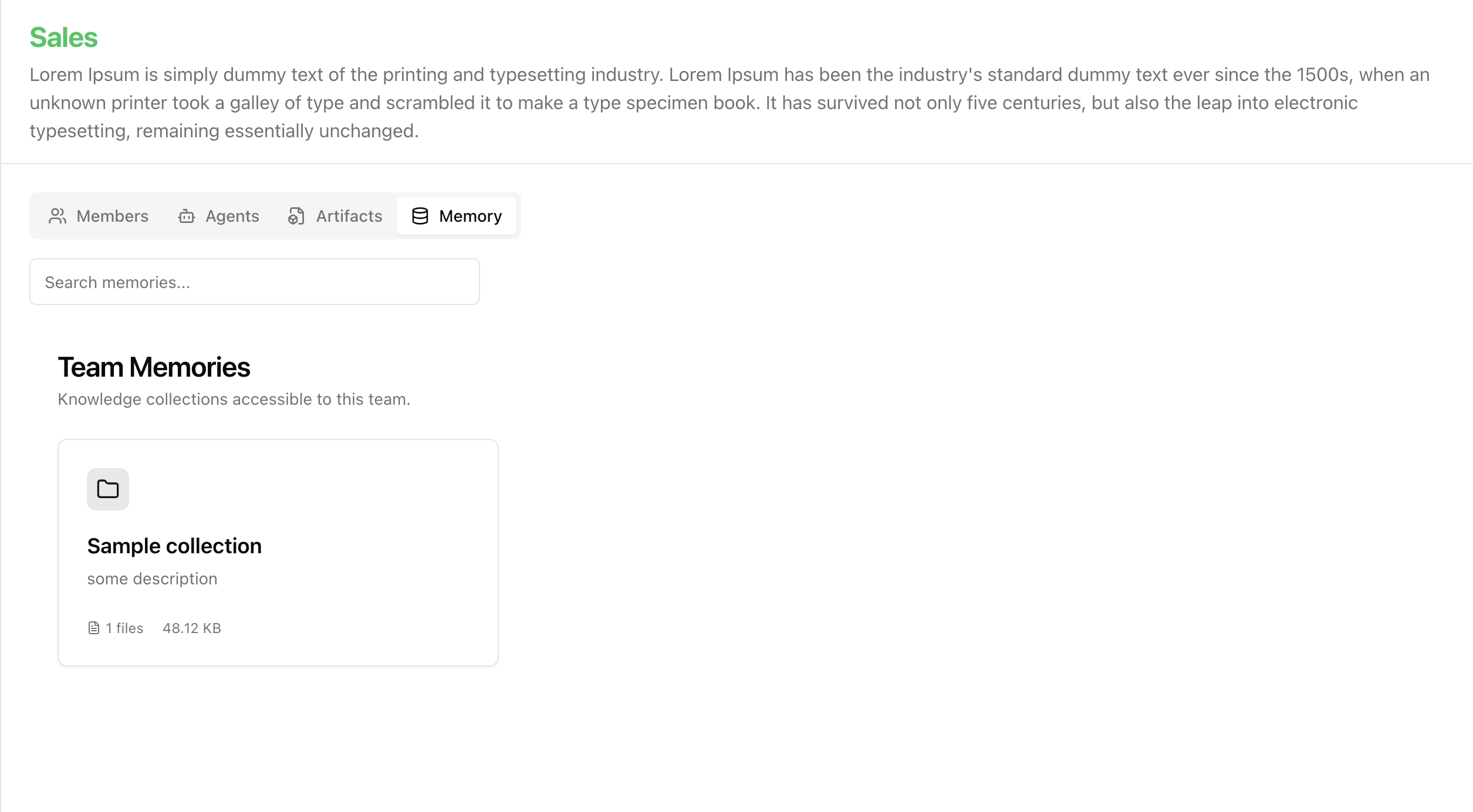
6. Members Can See What Memories Are Assigned to the Team
In the Memory tab, users can review team-accessible knowledge collections.
This helps members understand what shared knowledge sources are available while working in that team.
For memory setup and retrieval behavior, see Memory System.
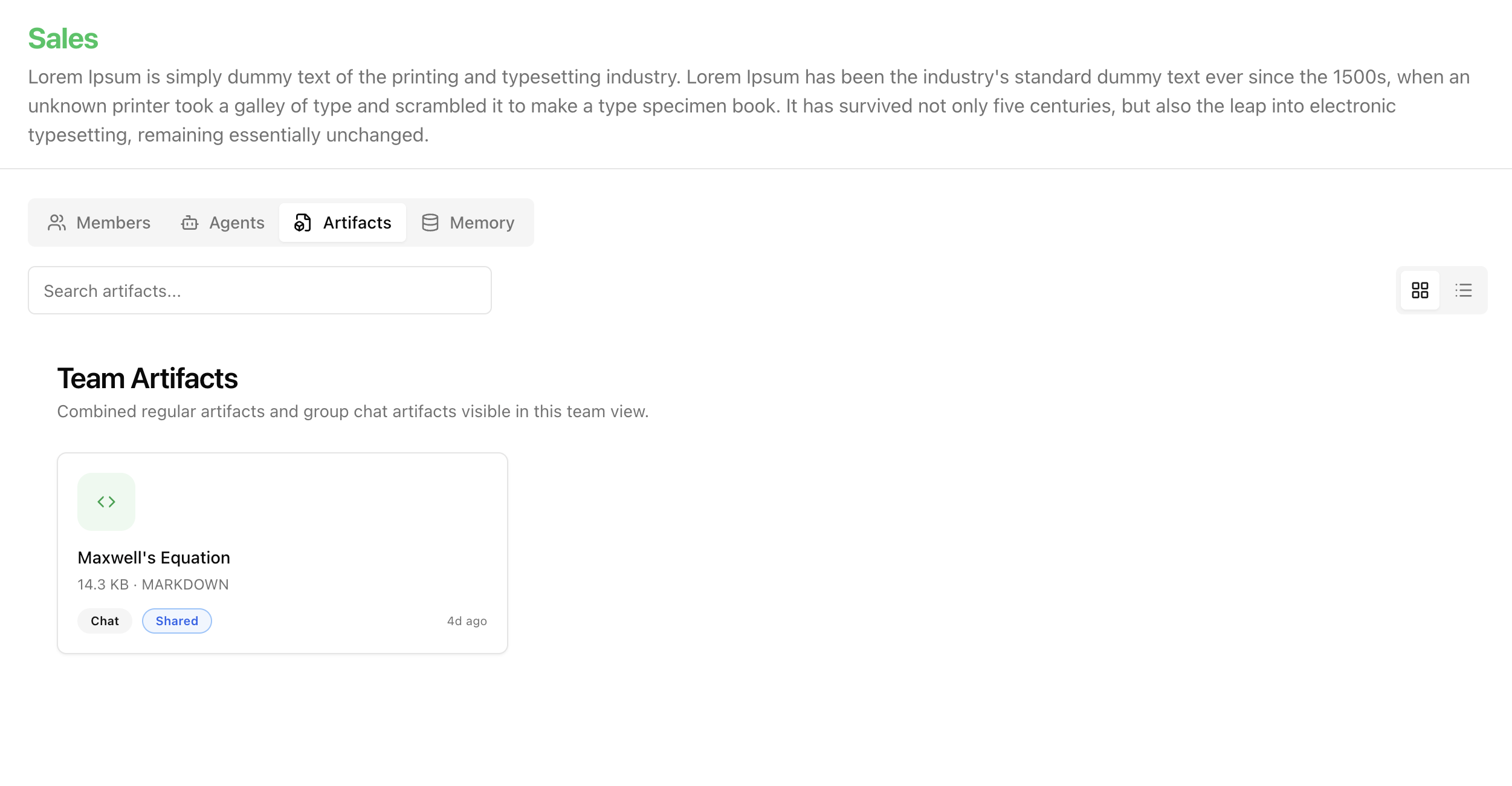
7. Members Can See Artifacts Shared with the Team
In the Artifacts tab, users can browse files and outputs shared in the team space.
This ensures team deliverables remain discoverable and reusable by all authorized team members.
For artifact creation, sharing, and editing, see Artifacts.
Outcome
By following this flow, teams in Arkios move from administrative setup to an operational collaboration space where members can:
- Work with the right people
- Use approved team agents
- Access assigned knowledge collections
- Reuse shared artifacts
This creates a consistent and governed team workspace for enterprise collaboration.
Learn More
Last updated: April 3, 2026