
What Is an MCP Server? A Plain-English Explainer
An MCP server connects one tool or data source to AI models through the Model Context Protocol. Here's how it works, explained without jargon.
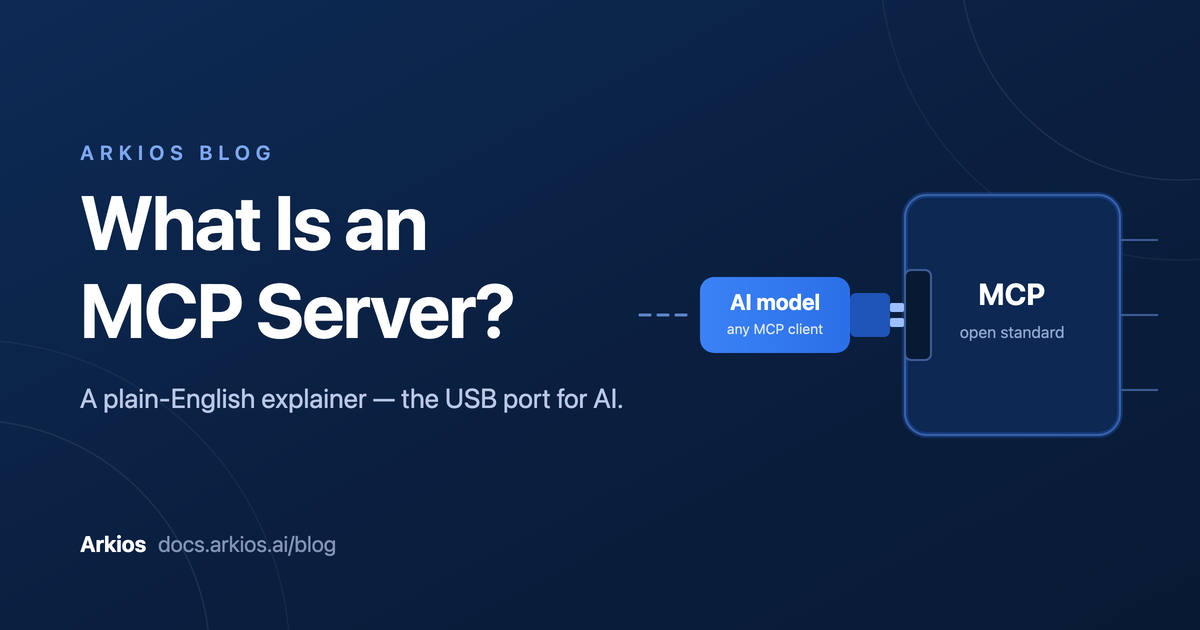
An MCP server is a small service that exposes a single tool or data source — a database, Slack, a CRM — to AI models through the Model Context Protocol (MCP), an open standard for connecting AI to the outside world. Think of it like a USB port for AI: any model that speaks MCP can plug into any MCP server, no custom wiring required. Build (or install) the server once, and every MCP-compatible AI assistant or agent can use it.
That's the short answer. The rest of this post unpacks why MCP exists and what it looks like when an AI agent uses an MCP server to do real work — no code reading required.
The problem MCP solves
Before MCP, connecting an AI model to a tool meant writing custom integration code. And not just once.
Say your company wanted an AI assistant that could check Salesforce, query a Postgres database, and post to Slack. Someone had to write Salesforce integration code for your specific AI setup. Then Postgres integration code. Then Slack integration code. Switch to a different AI model or framework next year? Rewrite all three.
This is what engineers call the M × N problem: M AI applications times N tools equals M × N separate integrations to build and maintain. Ten AI apps and twenty tools means two hundred bespoke connectors. Every one is code that can break, drift out of date, or handle credentials in ways your security team would not enjoy hearing about.
MCP — the Model Context Protocol, introduced by Anthropic in late 2024 and since adopted across the industry — collapses that into M + N. Each tool gets one MCP server. Each AI application gets one MCP client. Any client can talk to any server, because they all speak the same protocol. It's the same trick USB pulled on the old tangle of printer ports and proprietary cables: agree on one plug, and everything just connects.
How an MCP server works
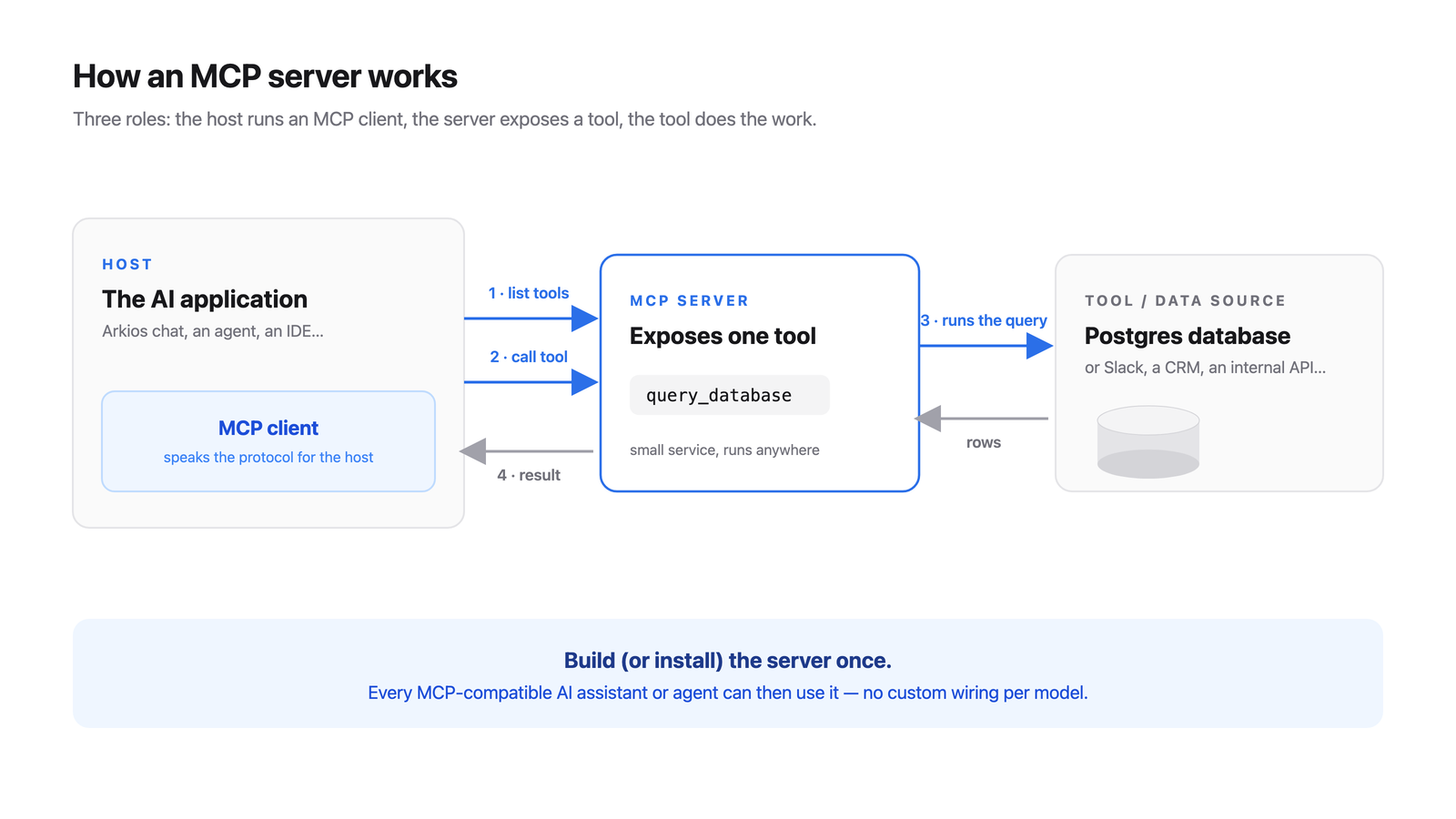
MCP has three roles, and the names are less scary than they sound:
- Host — the AI application the person actually uses: a chat assistant, an IDE, or an AI agent running on a platform like Arkios. The host is where the AI model lives.
- Client — a small connector inside the host. The host opens one client per server it wants to talk to. You'll rarely think about clients; they're plumbing.
- Server — the piece this post is about. A server sits in front of one tool or data source and translates between "things an AI can ask for" and "things the tool can actually do."
A server offers its capabilities in three flavors:
- Tools are actions the AI can take — run this database query, send this message, create this ticket. Tools are the workhorses; when people talk about "an AI using MCP," they usually mean tool calls.
- Resources are data the AI can read — a file, a database schema, a customer record. Reading, not doing.
- Prompts are reusable instruction templates the server offers, like a "summarize this support ticket" recipe the host can invoke on demand.
The conversation between client and server is refreshingly simple. When they connect, the client asks, "what can you do?" and the server replies with a menu — its tools, resources, and prompts, each with a name and a plain description. The AI model reads that menu the same way you'd read one in a restaurant. When the model decides it needs something, the client sends a structured request ("call the query_database tool with these inputs"), the server does the work against the real system, and sends back the result.
That's it. No magic, no model retraining. An MCP server is essentially a well-labeled menu plus a kitchen that fulfills orders.
A concrete example
Let's make it real. Suppose a revenue ops manager asks an AI agent:
"How many customers signed up last month in the EU?"
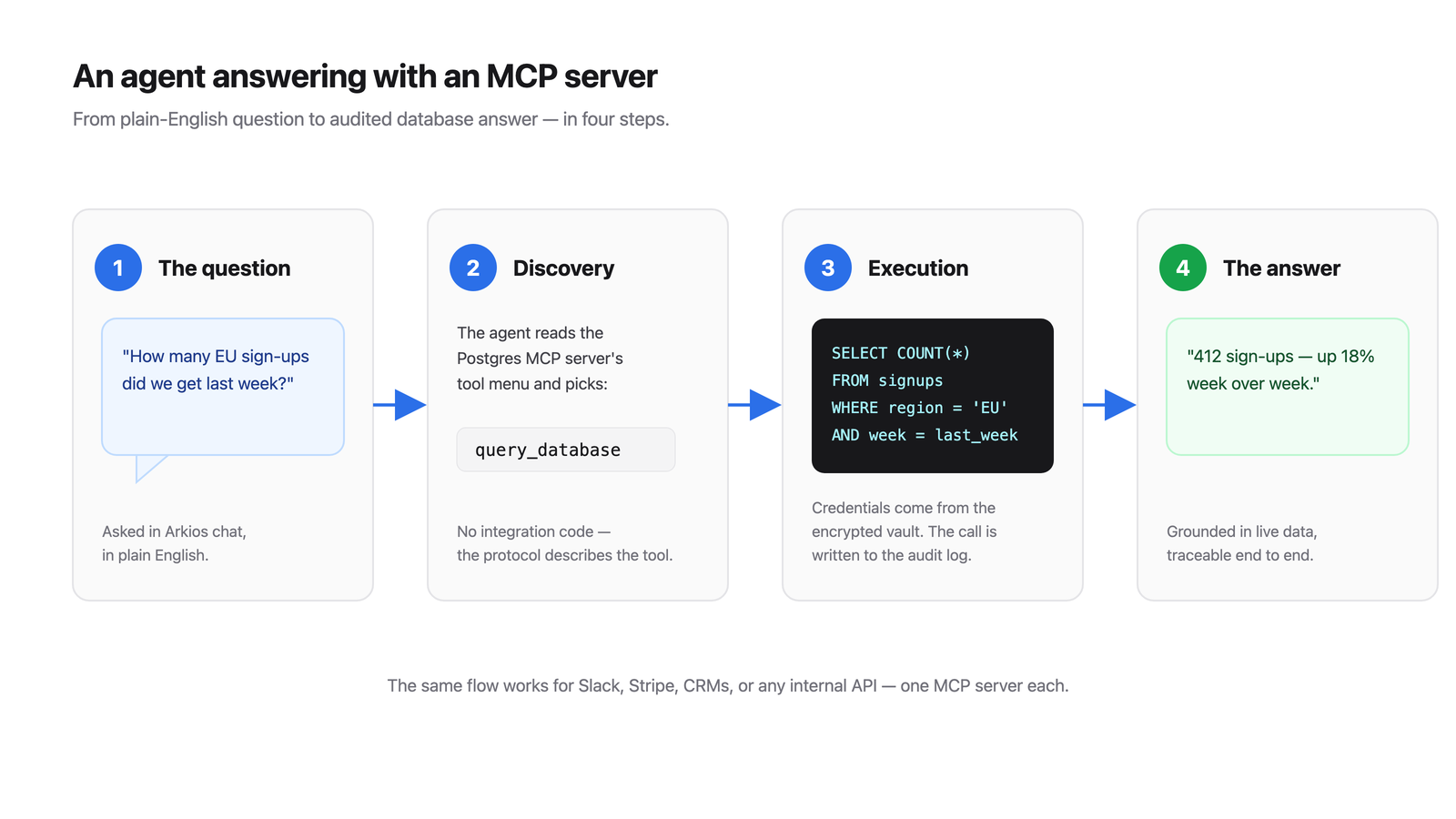
Behind the scenes, with a Postgres MCP server connected:
- The agent reads its menu. Among its connected MCP servers, it sees one for Postgres offering a
querytool ("run a read-only SQL query") and a resource describing the database schema. - It checks the schema. The agent reads the schema resource and finds a
customerstable withcreated_atandregioncolumns. - It calls the tool. The agent asks the MCP client to invoke
querywith something likeSELECT COUNT(*) FROM customers WHERE created_at >= '2026-05-01' AND region = 'EU'. - The server does the real work. The MCP server — which holds the actual database credentials, not the model — connects to Postgres, runs the query, and returns the result:
412. - The agent answers in plain English. "412 customers signed up in the EU last month."
Notice two things. First, the AI model never touched the database directly — the server mediated everything, which is exactly where you enforce read-only access and permissions. Second, nobody wrote integration code for this specific question. The same server answers next week's completely different question, and the same agent can use a Slack server or a CRM server through the identical mechanism.
MCP servers in the enterprise
A developer connecting an MCP server to their personal AI assistant is one thing. Rolling MCP out across a company raises questions the protocol alone doesn't answer:
- Credentials. That Postgres server needs a database password. Where does it live? Not in a config file on someone's laptop, and never in the AI model's context.
- Scoping. Finance should reach the billing database; the marketing team shouldn't. Access needs to follow team and role boundaries, just like every other system you run.
- Auditing. When an AI agent runs a query or posts a message, security and compliance teams need a record: who triggered it, which tool was called, with what inputs, and when.
This is where an enterprise AI platform earns its keep. With Arkios, teams add MCP servers from a catalog or register their own — no integration code to write. Credentials are stored in a vault and injected into the server at call time, so secrets never pass through the model or sit in plain text. Each server can be scoped per team or per agent, so the sales team's agents see the CRM tools and nothing else. And every single tool call is logged — actor, tool, inputs, outcome — giving you a complete audit trail of everything your AI touches.
If you're wiring agents up to internal systems, the tools and connectors docs cover the mechanics, and the MCP & Integrations page covers what's available out of the box.
Frequently asked questions
Is MCP only for Claude?
No. Anthropic created MCP and donated it as an open standard — the specification is public and anyone can implement it. OpenAI, Google, Microsoft, and most major AI frameworks and IDEs have adopted MCP support. A server you build today works with any MCP-compatible host, which is precisely the point.
Do I need to code to use MCP?
Not anymore. If you want to build a brand-new MCP server for an in-house tool, that's a developer task (and SDKs make it a small one). But to use MCP servers, platforms like Arkios let you pick connectors from a catalog, supply credentials once, and assign them to agents — entirely through the UI.
Is MCP secure?
MCP itself is a protocol, so security depends on how you deploy it — the same way HTTPS is secure but a badly built website still isn't. The key safeguards: keep credentials in the server (or better, a vault), never in the model; grant servers the minimum access they need (read-only where possible); scope which teams and agents can reach which servers; and log every call. Run an unvetted server from the internet with admin credentials and you'll have a bad time — which is why enterprises run MCP through a governed platform rather than ad hoc.
MCP vs API: what's the difference?
An API is how software talks to one specific service, and every API is different — different endpoints, formats, and auth. MCP is one standard layer on top: an MCP server typically wraps a service's API and presents it in the uniform format AI models understand, complete with descriptions the model can read. APIs are made for developers writing code; MCP servers are made for AI models choosing actions. They're complementary — most MCP servers are thin, well-labeled wrappers around existing APIs.
The bottom line: an MCP server is the standard adapter between an AI model and one of your tools — build or install it once, and every MCP-compatible AI can use it. Ready to see how that plays out across a whole organization, from connector catalogs to credential vaults to audit logs? Read the full guide: MCP for Enterprises.