
Credits & Seats
Every call you make or receive uses call credits. Your team's access to the call feature is managed through seats. This page explains how both work.
How Credits Work
Credits are the currency for calls. Every call you place or receive costs credits based on its duration.
Your credit balance comes from two places:
| Pool | How You Get It |
|---|---|
| Subscription Credits | Included with your seat. Refilled automatically every billing cycle. |
| Purchased Credits | Bought separately as credit packs. These do not expire monthly — they stay in your account until used. |
How Much Do Calls Cost?
| Call Type | Cost |
|---|---|
| Outbound call (you're calling someone) | 2 credits per minute |
| Inbound call (someone is calling you) | 1 credit per minute |
Credits are deducted based on actual call duration, rounded by the minute.
Here's what different credit amounts get you:
| Credits | Outbound Calling Time | Inbound Calling Time |
|---|---|---|
| 100 | 50 minutes | 100 minutes |
| 500 | 4 hours 10 minutes | 8 hours 20 minutes |
| 1,000 | 8 hours 20 minutes | 16 hours 40 minutes |
Buying More Credits
Who can do this? Enterprise owners and admins.
If your team is running low on credits, you can buy additional credit packs at any time.
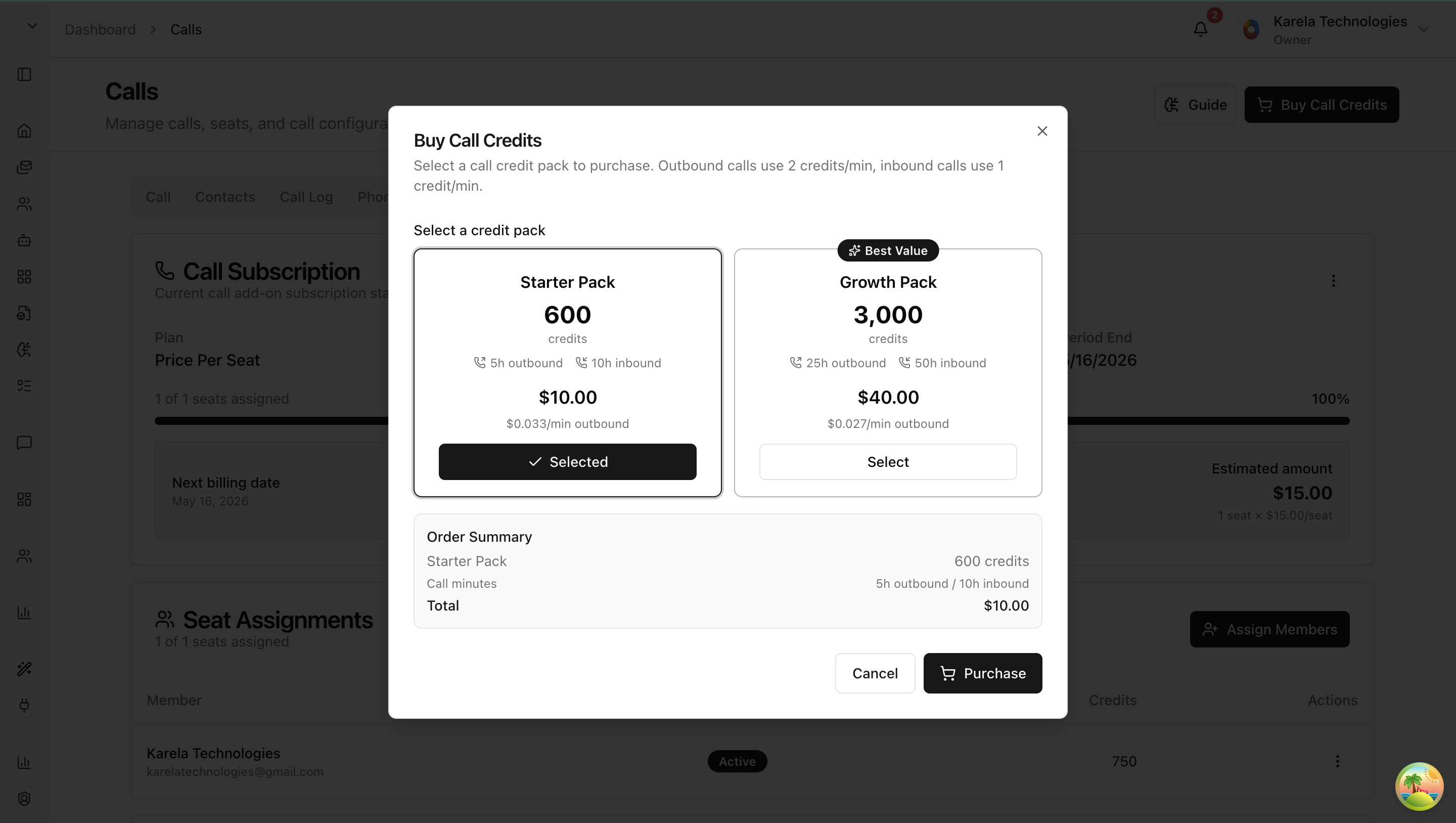
- Click the "Buy Call Credits" button in the top-right corner of the Calls page — or go to the Seats & Credits tab.
- You'll see a list of available credit packs, each showing the number of credits and the price.
- Pick a pack and complete the payment.
- The credits are added to your enterprise balance immediately.
Low Credit Warning
When your available credits drop to 10 or fewer, a warning banner appears at the top of the Calls page:
Low Call Credits — You have X call credits remaining. Purchase more credits to continue making calls.
Managing Seats
Who can do this? Enterprise owners and admins.
Go to the Seats & Credits tab to manage your team's subscription and call access.

Giving a Team Member Call Access
A team member needs an assigned seat to use the call feature. Without one, they'll see a "No Call Access" message.

- Click "Assign Members".
- Select the team members you want to give call access to.
- Each assigned member gets their own credit allocation and can start making and receiving calls.
What You'll See on the Seats & Credits Tab
- Subscription plan — the plan name and its status (active, canceled, past due, or trialing).
- Seat usage — how many seats are assigned out of the total (e.g., "3 of 5 seats assigned") with a progress bar.
- Member list — each member's name, email, status, and individual credit balance.
- Billing info — your next billing date and estimated monthly amount.
Canceling or Resuming Your Subscription
| Action | What Happens |
|---|---|
| Cancel Subscription | Your subscription cancels at the end of the current billing period. Seats and credits remain active until then — nothing changes right away. |
| Resume Subscription | If you canceled but the billing period hasn't ended yet, you can resume and keep everything as-is. |
Last updated: April 11, 2026