
Admin Guide
This page covers features that are only visible to enterprise owners and admins.
Enterprise Call Configuration
Go to the Enterprise Call Guide tab. This tab shows your enterprise's shared phone number along with a status badge and a copy button, plus a step-by-step guide on how the calling system works.
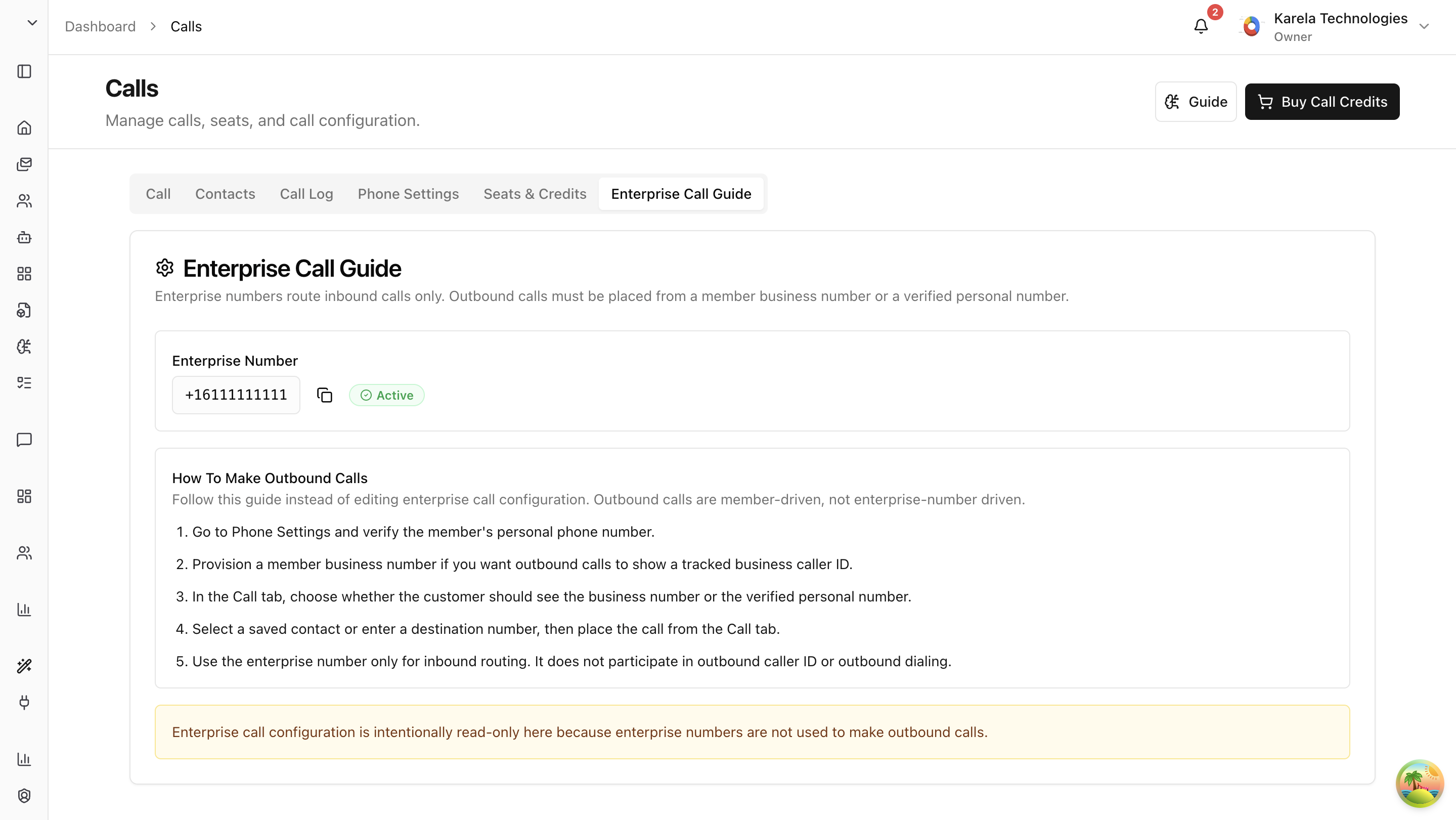
How to Use the Enterprise Call System
Here's the recommended workflow for your team:
-
Verify personal phone numbers. Go to Phone Settings and make sure each member's personal phone number is verified.
-
Provision business numbers. If you want both incoming and outgoing calls to be tracked, each member should have a personal business number. This number is provisioned through Arkios and ensures all calls go through the system.
-
Place calls from the Call tab. When making a call, the member chooses whether the customer sees their business number or their verified personal number as the caller ID. Using the business number is recommended — it means return calls from the customer are also tracked.
-
Select a contact or enter a number, then call. From the Call tab, pick a saved contact or type in a destination number and place the call.
-
Use the enterprise number for phone-based routing. The enterprise number is for a specific scenario: when a team member is away from their laptop and wants to make a recorded call from their physical phone. Instead of dialing the customer directly (which Arkios can't track), they call the enterprise number, enter the destination number, and the system routes the call — recording and transcribing it automatically.
Important: The enterprise call configuration is read-only because the enterprise number is not used to make outbound calls. It's a routing number only.
Quick Summary: What Gets Recorded?
| Scenario | Recorded? |
|---|---|
| Outbound call from the browser | Yes |
| Outbound call routed through the enterprise number | Yes |
| Incoming call to a member's business number | Yes |
| Direct call from a personal phone (not routed through Arkios) | No |
| Incoming call to a member's personal phone number | No |
Last updated: April 11, 2026