
v1.3 Release Notes
This release expands what teams can do with agents, refreshes the call experience, and gives admins deeper visibility into how Arkios is being used.
- Agent Marketplace — make any agent configuration public, and adopt agents shared by other enterprises.
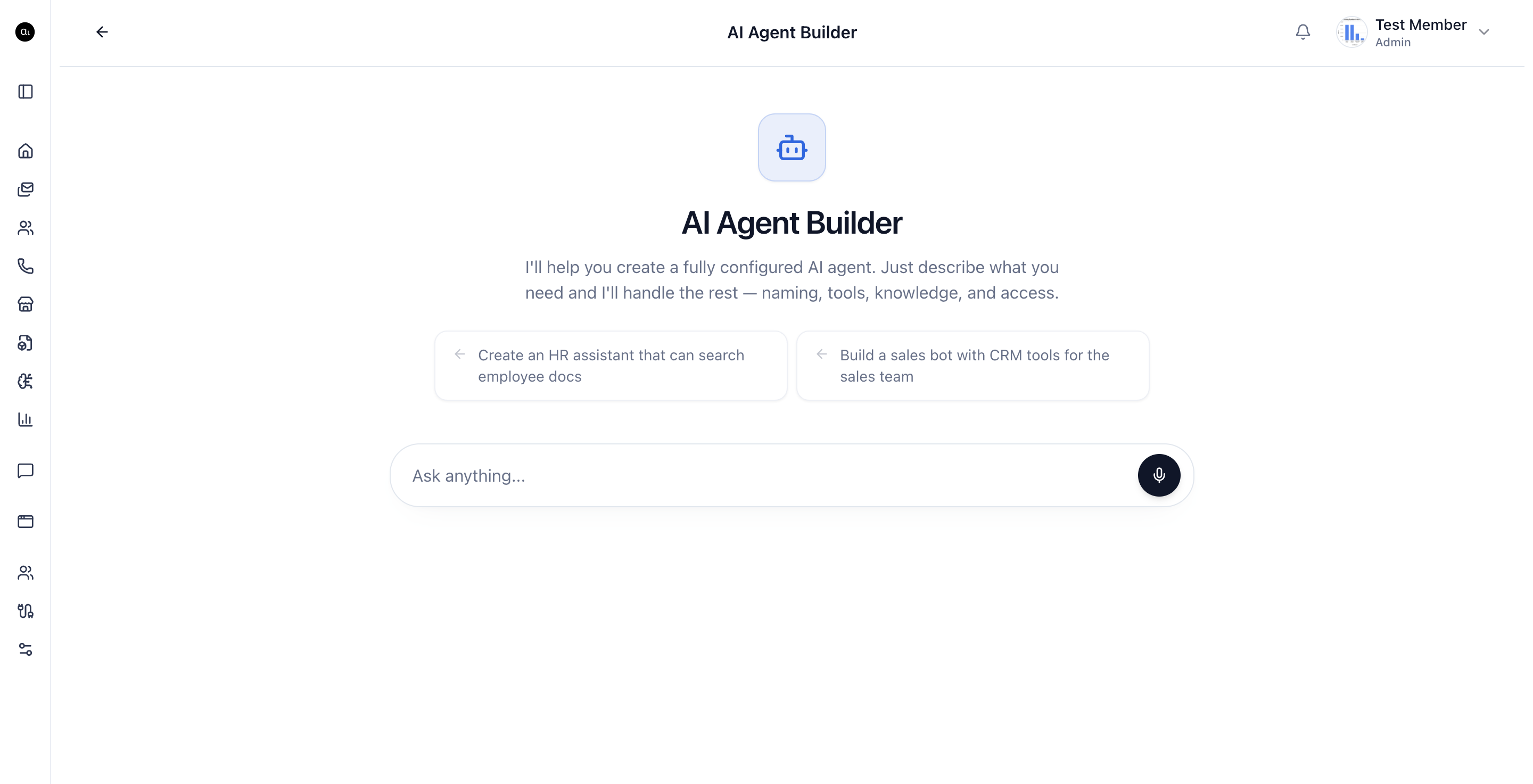
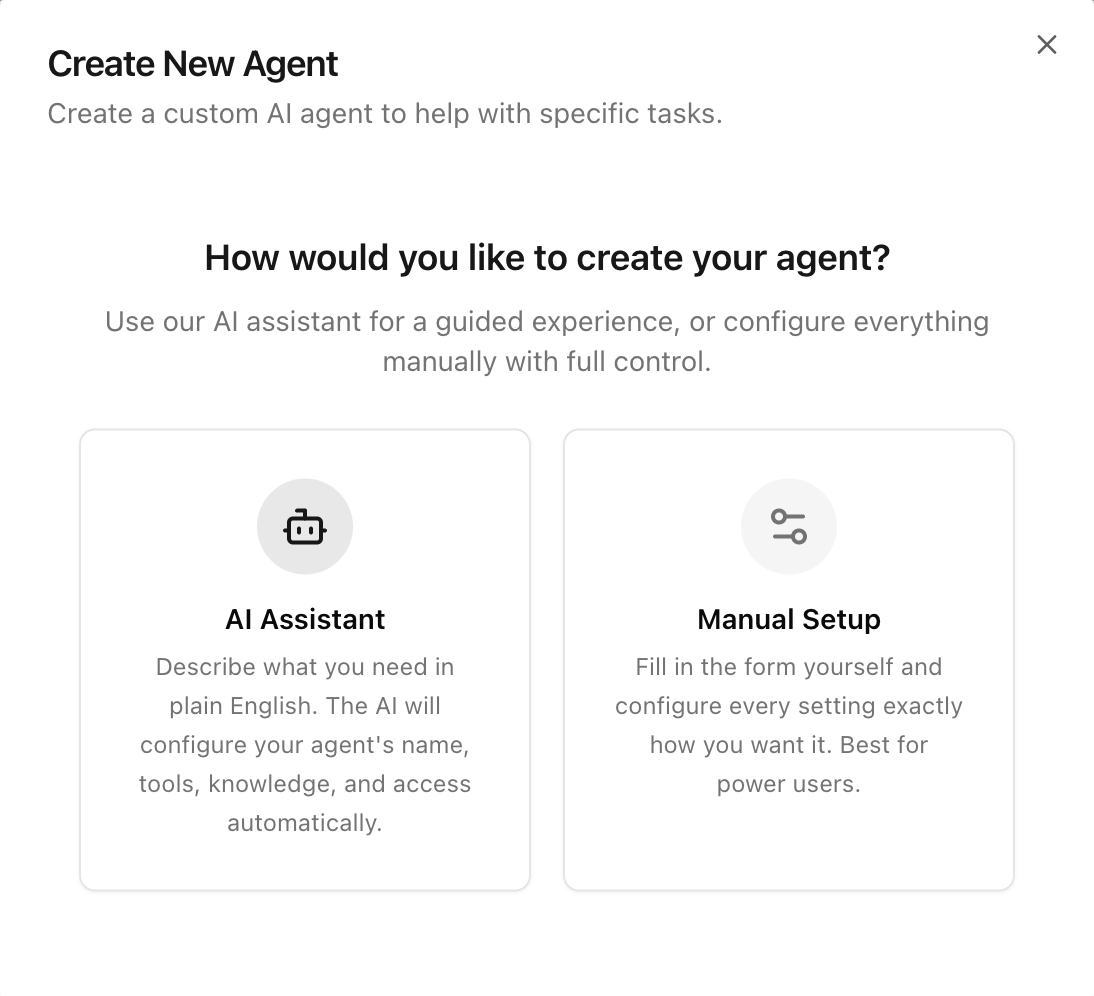
- Agent Builder upgrades — create agents with AI or manually, with end-to-end tool sequencing handled by the agent.
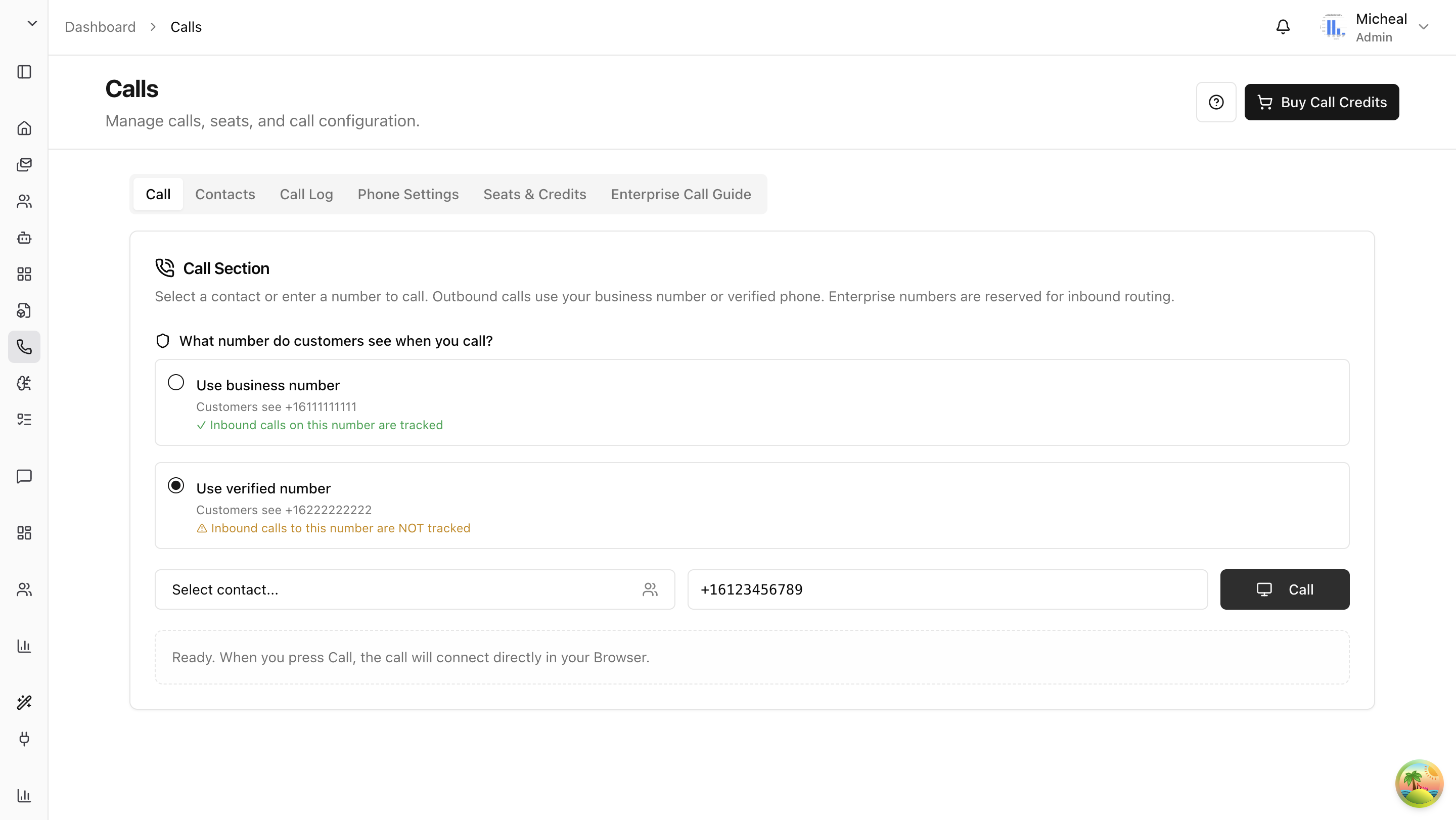
- Call experience refresh — a cleaner chat UI for calls, plus a complete in-product Call Center guide.
- Admin analytics — better dashboards for understanding usage, adoption, and ROI.
Agent Marketplace
Agents are no longer limited to a single workspace. With v1.3, the Agent Marketplace turns proven agent setups into reusable building blocks across enterprises.
Make Any Agent Public
You can now publish an agent's configuration to the marketplace so other enterprises can adopt it. Sharing the configuration includes the system prompt, tool selections, knowledge wiring, and behavior settings — without exposing your private data.
This is useful when you have built an agent that solves a common workflow (support triage, sales research, internal policy lookup) and want to standardize it across teams or partner organizations.
Adopt Any Agent from the Marketplace
From the agent creation flow, choose Use public agent to browse and adopt agents that other enterprises have published. Adopting an agent gives you a working configuration you can use immediately and tailor to your workspace.
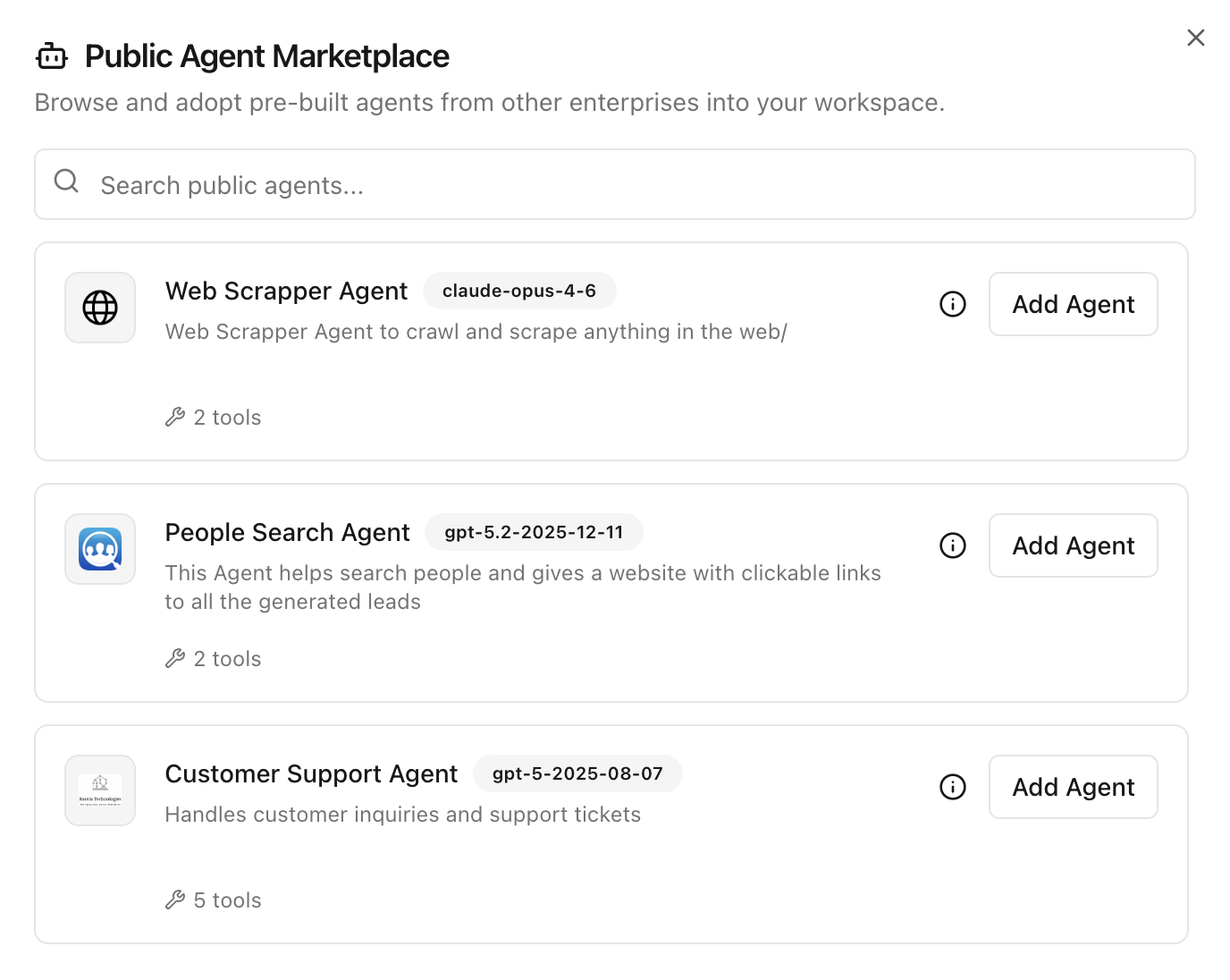
For the full workflow, see Create Agents.
Agent Builder Upgrades
Creating an agent now fits the way you prefer to work.
Build with AI
Describe what the agent should do, and the AI Agent Builder configures it for you. The builder asks only for the missing details — visibility, tools, knowledge sources, and access rules — using structured choices instead of free-form replies.
Build Manually
Prefer direct control? Manual setup gives you the standard creation form so you can configure every field yourself, from model and system prompt to tools and retrieval.
Tool Sequencing Handled by the Agent
Agents now plan and execute multi-step tool sequences on their own. You connect the tools the agent is allowed to use, and the agent decides the order, chains calls together, and feeds results into the next step — no manual workflow wiring required.
This makes agents much more capable for real tasks like research, lookups, and operational actions across multiple connectors.
Refreshed Chat UI
The in-call chat and active call widget have been redesigned for a cleaner, faster experience — with clearer call state, mute/hangup controls, and live transcripts side-by-side with the conversation.
Call Experience Refresh
We refreshed the call surface to make it easier to use day-to-day.
Complete Call Center Guide
Everything you need to set up and use the Call Center is now documented in one place:
- Call Center Overview
- Setting Up
- Personal Onboarding
- Making Calls
- Phone Settings
- Contacts
- Call Logs
- Credits and Seats
- Admin Guide
If you are new to calling in Arkios, start with the Call Center Overview.
Better Analytics for Admins
Admins get a stronger analytics surface in v1.3, with clearer views into how Arkios is being adopted across the workspace:
- Agent usage — which agents are being used, how often, and by whom
- Tool activity — which connectors and tools are driving the most value
- Call insights — call volume, duration, and outcomes across the team
- Member engagement — active users, top contributors, and adoption trends
These dashboards help admins make informed decisions about agent investments, seat allocation, and rollout priorities.
What This Means for Your Team
With v1.3, Arkios Enterprise becomes more shareable, more autonomous, and more measurable:
- Build and publish agents that other teams — even other enterprises — can use
- Let agents handle multi-step tool execution end-to-end
- Run a polished call experience backed by full documentation
- Give admins the visibility they need to scale Arkios with confidence
Looking Ahead
We will keep expanding the marketplace, deepening agent autonomy, and adding analytics that help teams measure outcomes — not just activity.
Last updated: April 18, 2026